-
LibertyRecompAndroid 0.5.8.1 Pre-release
released this
2026-10-10 04:25:26 +00:00 | 0 commits to main since this releaseA pre-release with experimental performance settings for weak devices. Install over the previous version; your saves and settings are kept.
Performance test settings (launcher)

A new button under Play opens settings meant only for testing on lower-end devices. They break the visuals; if you already have a stable 30 FPS, leave them alone. Issues opened with any of these settings on may be skipped.
- Draw distance 0.5: fixed half draw distance, with the dynamic draw distance off.
- Sun shadows off: the sun shadow map is not drawn.
- Water reflections and other reflections (cars, windows), set separately: every frame, every 2nd frame, every 3rd frame or off.
The settings are stored by the launcher and applied each time you press Play.
args.txtis not changed.Fixed
- With the FPS guard off (the default), the reflection update rates were reset to every frame at start.
Downloads
-
Source code (ZIP)
0 downloads
-
Source code (TAR.GZ)
0 downloads
-
LibertyRecompAndroid 0.5.8 Stable
released this
2026-10-10 01:07:18 +00:00 | 1 commits to main since this releaseA CPU and stability pass. Install over the previous version; your saves and settings are kept.
May be fixed or improved
- Rare crashes in long sessions. The game's lock and barrier instructions are now real memory barriers on ARM64. Before, they compiled to nothing, so on a phone one thread could see another thread's data out of order. This is a likely cause of some rare, random crashes.
- Crash after a car collision. A crash on a stale object in the game's entity list is now caught: the broken entry is skipped for that frame.
- Stutter while driving fast or streaming the city. Every time the game committed memory, the runtime parsed
/proc/self/maps(thousands of lines). It no longer does. - Smoother game logic. The game's CPU registers are now kept in native registers instead of memory. At the reference bridge on a Retroid Pocket 5, the game threads got about 3 ms lighter per frame, and frame rate went from about 26 to 28-30 FPS.
- Lighter shaders. The shader cache was rebuilt with merged conditional blocks: about 15% fewer branches on the GPU, same image.
- Faster renderer. The renderer is now built with stronger optimizations (-O3, link-time optimization, hot functions placed together). Several hot spots in the frame recorder were also made cheaper: shader constant copies, hash table lookups and per-frame allocations.
- Phones with game boosters. The app now declares Android's game modes, so Samsung Game Booster, RedMagic Game Space and other game tools recognize it as a game. Some of them limit the CPU clock of apps they don't know.
- Snapdragon 8 Elite (Adreno 830). GPU waits are now made one second at a time. That driver returns at once from an endless wait, which could freeze or corrupt the picture.
- Draw distance no longer jumps back and forth. The dynamic draw distance now changes in small, spaced steps, measured over one-second windows. Its minimum is 0.80, and older settings are migrated automatically.
For testers
- The runtime log now shows guest threads that spin on yields or locks (
yields/spins-5s=in thethermal:lines). --gta4_native_frame_timeline=truelogs per-frame stage times.
Known: in the heaviest places (the bridge at night) the frame rate can still dip to about 28 FPS. The frame recorder is the limit there.
Downloads
-
Source code (ZIP)
0 downloads
-
Source code (TAR.GZ)
0 downloads
-
LibertyRecompAndroid 0.5.7.8 Pre-release
released this
2026-10-09 02:00:17 +00:00 | 2 commits to main since this releasePre-release: Play (Debug Log) for bug reports.
- A new smaller button under Play starts the game with detailed logging and saves the game's whole log (the game, the Vulkan driver, crashes) to
Android/data/com.libertyrecomp/files/debug_logs/. Reproduce your problem with it and attach the newestdebug-*.logto your issue. This helps us a lot. - GitHub link at the bottom of the launcher.
Includes everything from 0.5.7.7 (less audio delay). Install over any earlier version; the installed game and saves are kept.
Downloads
-
Source code (ZIP)
0 downloads
-
Source code (TAR.GZ)
0 downloads
- A new smaller button under Play starts the game with detailed logging and saves the game's whole log (the game, the Vulkan driver, crashes) to
-
LibertyRecompAndroid 0.5.7.7 Pre-release
released this
2026-10-09 00:58:25 +00:00 | 3 commits to main since this releasePre-release: less audio delay.
- Sound lagged noticeably behind the picture, especially on glass breaking and car crashes (#9). The game kept up to ~340 ms of audio queued; it now keeps ~170 ms by default (
--audio_maxqframes=32). - Want it tighter? Add
--audio_maxqframes=16toAndroid/data/com.libertyrecomp/files/args.txt(~85 ms). On some devices that can make the sound stutter briefly when the game hitches, so go back to 32 if you hear that.
Includes everything from 0.5.7.6 (the game stays in landscape on phones). Install over any earlier version; the installed game and saves are kept.
Downloads
-
Source code (ZIP)
0 downloads
-
Source code (TAR.GZ)
0 downloads
- Sound lagged noticeably behind the picture, especially on glass breaking and car crashes (#9). The game kept up to ~340 ms of audio queued; it now keeps ~170 ms by default (
-
LibertyRecompAndroid 0.5.7.6 Pre-release
released this
2026-10-09 00:32:28 +00:00 | 4 commits to main since this releasePre-release: the game stays in landscape on phones.
- On phones held upright, the game could turn to portrait right after it started, or show only a narrow strip in the middle of the screen. The cause was that the game's window allowed any orientation. It is now locked to landscape, either way round, and respects the rotation lock.
- If the game closes right after Play on Android 14 or newer (moto, Samsung and others), update: that was fixed in 0.5.7.4 and is included here.
Includes everything from 0.5.7.5. Install over any earlier version; the installed game and saves are kept.
Downloads
-
Source code (ZIP)
0 downloads
-
Source code (TAR.GZ)
0 downloads
-
LibertyRecompAndroid 0.5.7.5 Stable
released this
2026-10-08 23:51:30 +00:00 | 6 commits to main since this releaseEverything from the 0.5.7.2 to 0.5.7.4 pre-releases, plus a fix for wide phones.
Starts on Android 17 and Adreno 8xx (0.5.7.4)
- On some new devices (for example a Samsung with Adreno 840 and Android 17) the game quit right after Play with "Unable to reserve the 4gb guest address space". It used an old Android memory API that newer Android builds refuse. It now uses the current one, with a second fallback method. This is confirmed working on that Samsung.
- If the game still cannot start, it shows a dialog with the reason instead of crashing.
- Workaround for unusual devices:
LIBERTY_FORCE_MEMFD=1inAndroid/data/com.libertyrecomp/files/env.txt.
Full-screen picture on phones (0.5.7.5)
- On phones whose natural orientation is portrait, the game could start with a portrait-shaped picture: a narrow strip in the middle of the screen. It now always picks a landscape picture that fills the screen.
On-screen Xbox gamepad (0.5.7.2)
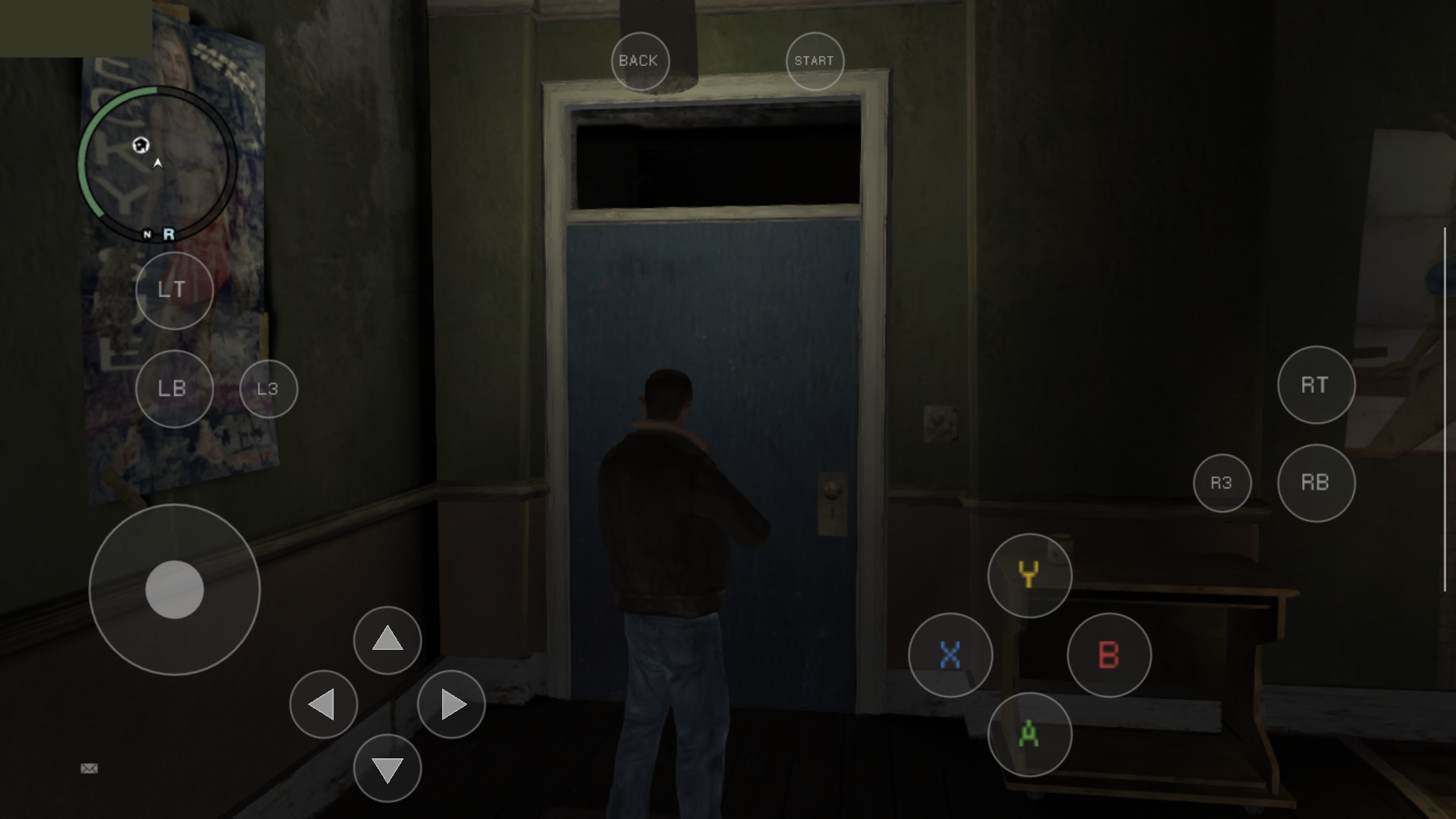
- Without a controller, a translucent Xbox 360 controller appears on screen. It hides while a gamepad is connected.
- Left stick: touch anywhere on the left half of the screen. Camera (right stick): touch anywhere on the right half. A/B/X/Y, D-pad, LT/LB, RT/RB, L3/R3, Back and Start are fixed buttons, and several fingers work at once.
- On handhelds (Retroid Pocket and similar) the overlay appears by itself when the built-in controller is switched off.
- The previous context-sensitive touch layout is still available with
--gta4_touch_layout=contextinargs.txt.
Crash reports (0.5.7.3)
- After a crash, the launcher shows a red card: The game crashed - a crash report was saved. The report (device, GPU, driver, where it crashed and the last log lines) is in
Android/data/com.libertyrecomp/files/crash_reports/. - Share report sends it as text to any app. Please attach it to Issues.
- The game's own log is now on by default (warnings and errors).
Install over any earlier version; the installed game and saves are kept.
Downloads
-
Source code (ZIP)
0 downloads
-
Source code (TAR.GZ)
0 downloads
-
LibertyRecompAndroid 0.5.7.4 Pre-release
released this
2026-10-08 23:34:36 +00:00 | 7 commits to main since this releasePre-release: potential fix for Android 17 and Adreno 7xx/8xx devices that closed right after Play.
- On some new devices (seen on a Samsung with Adreno 840 and Android 17) the game could not set up its emulated Xbox 360 memory and quit at once ("Unable to reserve the 4gb guest address space"). The game used an old Android memory API that newer Android builds refuse. It now uses the current one, and falls back to a second method if that fails as well.
- If the game still cannot start, it now shows a dialog with the reason instead of crashing.
- Workaround if it still fails: add
LIBERTY_FORCE_MEMFD=1toAndroid/data/com.libertyrecomp/files/env.txt. - Includes the 0.5.7.2 and 0.5.7.3 pre-releases: the on-screen Xbox gamepad and the crash reports with Share report.
This has been tested on Android 13 only. If you are on Android 16/17 or an Adreno 7xx/8xx device, please tell us in Issues whether it starts now. If it still crashes, send the report from the launcher. Install over any earlier version; the installed game and saves are kept.
Downloads
-
Source code (ZIP)
0 downloads
-
Source code (TAR.GZ)
0 downloads
-
LibertyRecompAndroid 0.5.7.3 Pre-release
released this
2026-10-08 23:00:10 +00:00 | 8 commits to main since this releasePre-release: crash reports, so a crash can be reported without a PC.
- If the game crashes, the launcher shows a red card the next time it opens: The game crashed - a crash report was saved. The report is in
Android/data/com.libertyrecomp/files/crash_reports/. - Share report sends the report as text to any app (Telegram, Discord, mail). Please attach it to your issue.
- The report contains the device, GPU and driver details, where the game crashed (signal and backtrace) and the game's last log lines.
- The game's own log is now on by default (warnings and errors), which makes the reports more useful.
If the game closes right after Play on your device (for example on Adreno 7xx), install this version, reproduce the crash and send the report. Install over any earlier version; the installed game and saves are kept.
Downloads
-
Source code (ZIP)
0 downloads
-
Source code (TAR.GZ)
0 downloads
- If the game crashes, the launcher shows a red card the next time it opens: The game crashed - a crash report was saved. The report is in
-
LibertyRecompAndroid 0.5.7.2 Pre-release
released this
2026-10-08 22:49:32 +00:00 | 9 commits to main since this releasePre-release: on-screen Xbox gamepad for playing without a controller.
- Without a controller, a translucent Xbox 360 controller appears on screen. Connect a gamepad and it disappears; disconnect it and it comes back.
- Left stick: touch anywhere on the left half of the screen. Camera: touch anywhere on the right half; it works like a controller's right stick.
- A/B/X/Y, D-pad, LT/LB, RT/RB, L3/R3, Back and Start are fixed buttons, and several fingers work at once. Menus are driven with the same buttons.
- The old context-sensitive touch layout is still available with
--gta4_touch_layout=contextinargs.txt. - On handhelds (Retroid Pocket and similar) the overlay now appears by itself when the built-in controller is switched off. Their built-in buttons no longer count as a keyboard and mouse.
Install over any earlier version; the installed game and saves are kept. Details: Controls.
Downloads
-
Source code (ZIP)
0 downloads
-
Source code (TAR.GZ)
0 downloads
-
LibertyRecompAndroid 0.5.7.1 Stable
released this
2026-10-08 21:54:47 +00:00 | 11 commits to main since this releaseInstall the game from the launcher, now as a stable release.
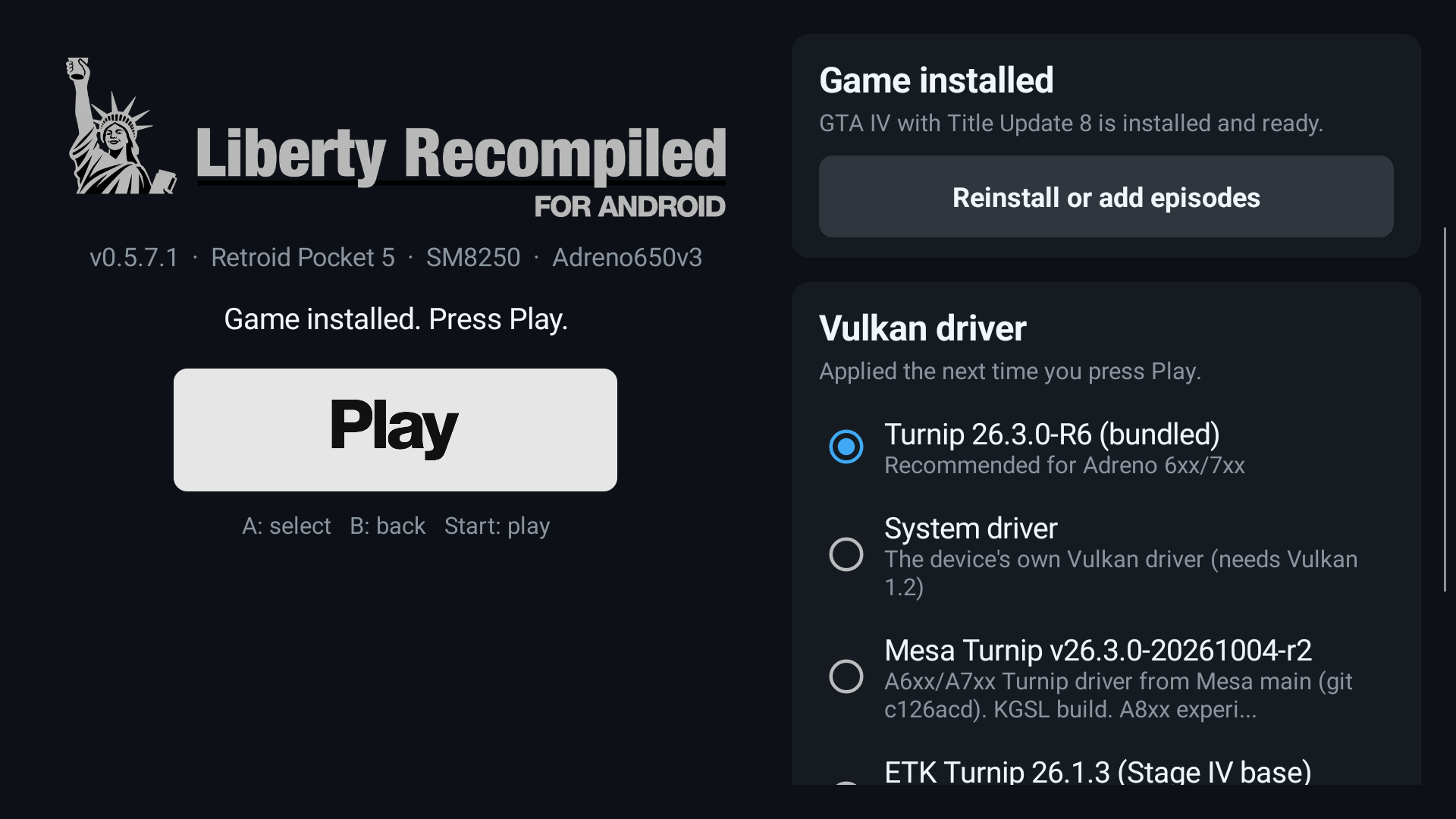
- Game panel in the launcher: choose the disc image (
.iso), Title Update 8 and, optionally, the episodes from anywhere on the device or an SD card. The disc is checked as soon as you pick it, and Install shows a progress bar. Picking files outside the app's folder needs All files access once; without it, theAndroid/data/com.libertyrecomp/files/install/folder still works. - Wide screens: the launcher no longer cuts the logo in half on 20:9 and 21:9 phones.
- New logo lettering and Play button.
- Android 10 to 12: Turnip (bundled or imported) is accepted there now. Before, the "needs Vulkan 1.2" error appeared, for example on the Snapdragon 855 (#3).
- Also included: the Vulkan driver picker with .zip import, the system-driver fallback, the error dialog and
last_launch.txt.
Install over any earlier version; the installed game and saves are kept. Walkthrough: INSTALL.md.
Downloads
-
Source code (ZIP)
0 downloads
-
Source code (TAR.GZ)
0 downloads
- Game panel in the launcher: choose the disc image (